5 November 2026 · How-to
How to follow a place or person on Local Past
Use Follow on place and person pages so updates you care about are easier to find again — without turning Local Past into a noisy social feed.
Following on Local Past is a quiet bookmark: you mark a street, house, or person so you can return to their page as the timeline grows. It is not a chat stream, and it does not spam other members.
Sign in first
You need an account to follow. Browse freely without one; when you are ready, use Log in or Sign up, then open the place or person again.
Find the Follow button
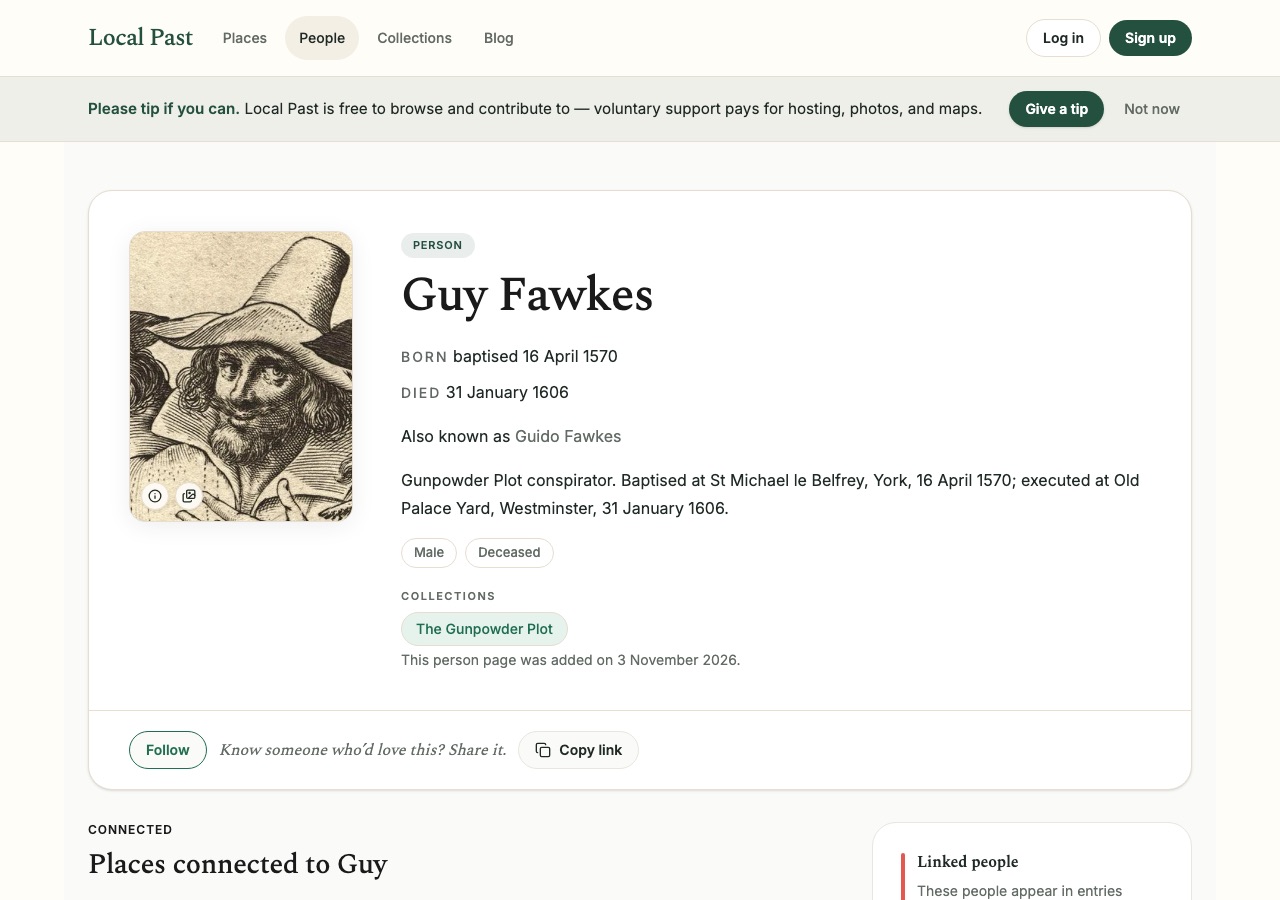
On a place page or person page, look for Follow near the share actions (often beside Copy link). Click once to follow; click again if you need to unfollow later.
What following does
Followed places and people stay easy to reopen from your account. When new entries are tagged to them, you have a clear reason to revisit those timelines. Following does not publish anything in your name, and it does not notify the historical person (obviously) or the whole site.
What to follow
Follow a place when you are watching a street, village, or building as research fills in. Follow a person when you are tracking one life across newspapers, photographs, and linked relatives. You can follow both — for example a police-book face and the Northampton street named in their case.
Keep the list useful
Unfollow pages you no longer need. A short list of active research is more helpful than dozens of idle follows.
Following is how Local Past stays personal without becoming noisy: mark what matters, come back when you have time, and let the archive grow in the background.
Local Past Updates
Signing up for Updates creates a Local Past account. Opening an account opts you into occasional archive emails. Every email has an unsubscribe link.