3 November 2026 · How-to
How to tag people and places on an entry
Why tags matter on Local Past, and how to link a record, memory, or photo to the right people and places.
On Local Past, an entry only becomes useful across the site when it is linked to people and places. Tags are how a baptism note appears on a person page, and how a street photograph appears on a place page.
What a tag does
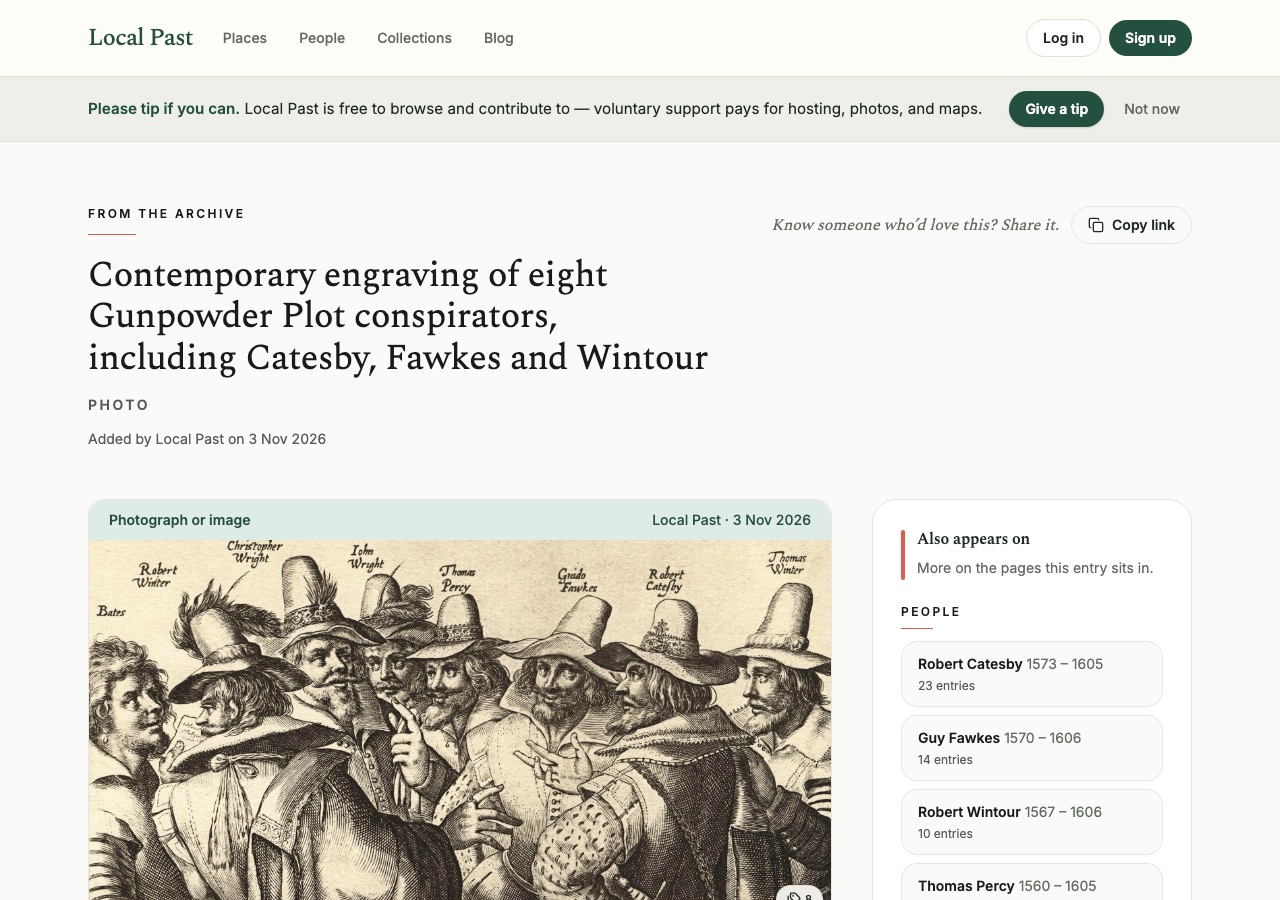
When you tag a person, that entry joins their timeline. When you tag a place, it joins that place’s timeline — and can surface under parent places such as the town or parish. One contribution can carry several tags, so a wedding can name both spouses and the church.
How to add tags
While you write or after you upload a photo, use the people and places fields on the entry. Search for an existing person or place first. If they are not there yet, create them with the best name and date clues you have. Prefer the name as it appears in the source, and add later aliases if needed.
Be precise where you can
Tag the specific house or street when you know it, not only the county. Tag the individual in the photograph, not only a surname. If two people share a name, use dates or a distinguishing detail so you do not merge the wrong lives.
Check the result
Open the person and place pages after you publish. You should see your entry on those timelines. If it is missing, edit the entry and confirm the tags saved.
Mentions in the text
Where the site supports it, naming someone in the body can also create a mention link. Still add proper tags for the main subjects of the entry so they are not missed.
Good tagging is the difference between a private note and a shared local history.
Local Past Updates
Signing up for Updates creates a Local Past account. Opening an account opts you into occasional archive emails. Every email has an unsubscribe link.